I started to learn Google App Engine. Everything was perfect – tutorials, easiness of testing on development server before I wanted to deploy it on server. I knew that I had to use Java 7 instead of Java 8, which is currently supported by App Engine, but didn’t know, where I should change it easily to make this happen, since I used Maven.
This error happened to me:
Server Error The server encountered an error and could not complete your request. Please try again in 30 seconds.
In errors of my app on App Engine Console I saw this:
Uncaught exception from servlet java.lang.UnsupportedClassVersionError: org/apache/jsp/guestbook_jsp : Unsupported major.minor version 52.0 at com.go
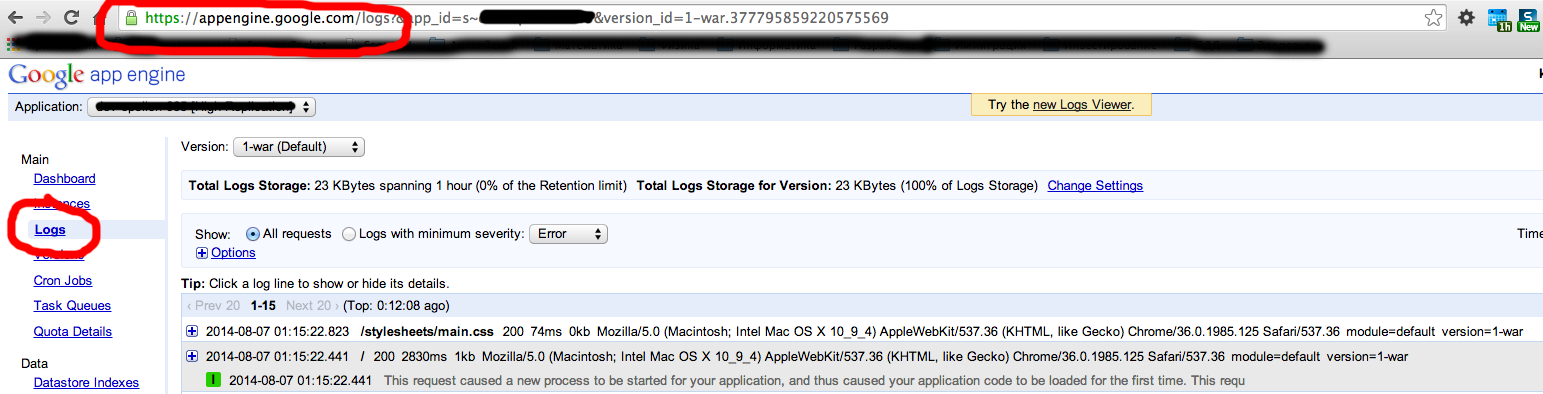
You can see logs this way:
You can check your java version:
$ java -version
This is solution:
Then go to profile:
$ vim ~/.bash_profile
And change your JAVA_HOME variable:
export JAVA_HOME=`/usr/libexec/java_home -v 1.7`
Update that variable:
$ source ~/.bash_profile
And now rebuild your AppEngine project and redeploy it on server:
    $ mvn clean install
    $ cd guestbook-ear
    $ mvn appengine:update
Now check your application on browser: https://your_app_id.appspot.com/
